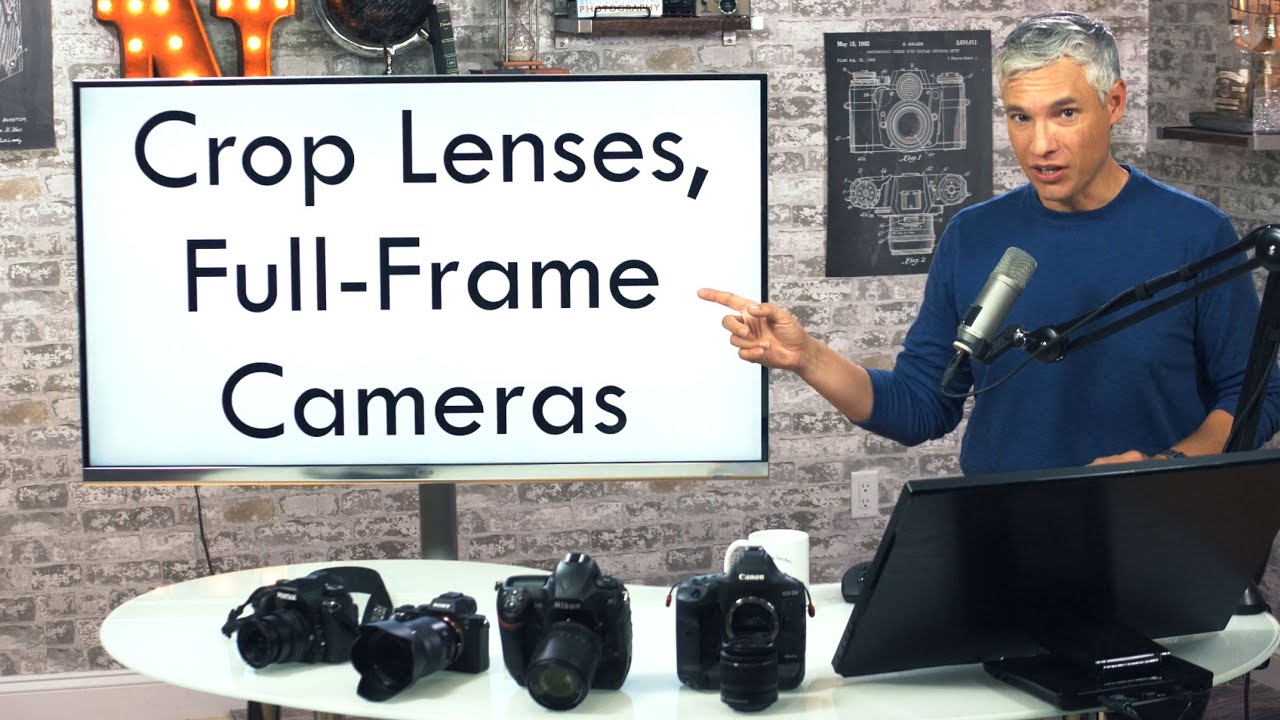
I’ll be honest: for years I dismissed the idea of mounting a crop lens on a full-frame body. It felt like putting regular tires on a sports car. Why would you intentionally limit a more capable sensor? Then I started digging into the actual math, and it turns out the answer is more nuanced than a flat “don’t do it.” In this Tony & Chelsea Northrup tutorial, Watch the full tutorial on YouTube, Tony walks through exactly what happens when you pair APS-C glass with a full-frame body across Canon, Nikon, Sony, and Pentax systems, and it changed how I think about lens budgeting entirely.
The reason this matters to me practically: I’ve got a growing collection of budget APS-C lenses I tested when I was shooting on a crop body, and I recently upgraded to a full-frame system. The question of whether those lenses could carry over, even partially, was a real budget question, not a hypothetical one. If the answer is “sometimes yes, with caveats,” that’s worth understanding precisely.
Step 1: Understand What “Crop Factor” Actually Does and Does Not Do
 Graphic showing crop factor as a unit conversion analogy
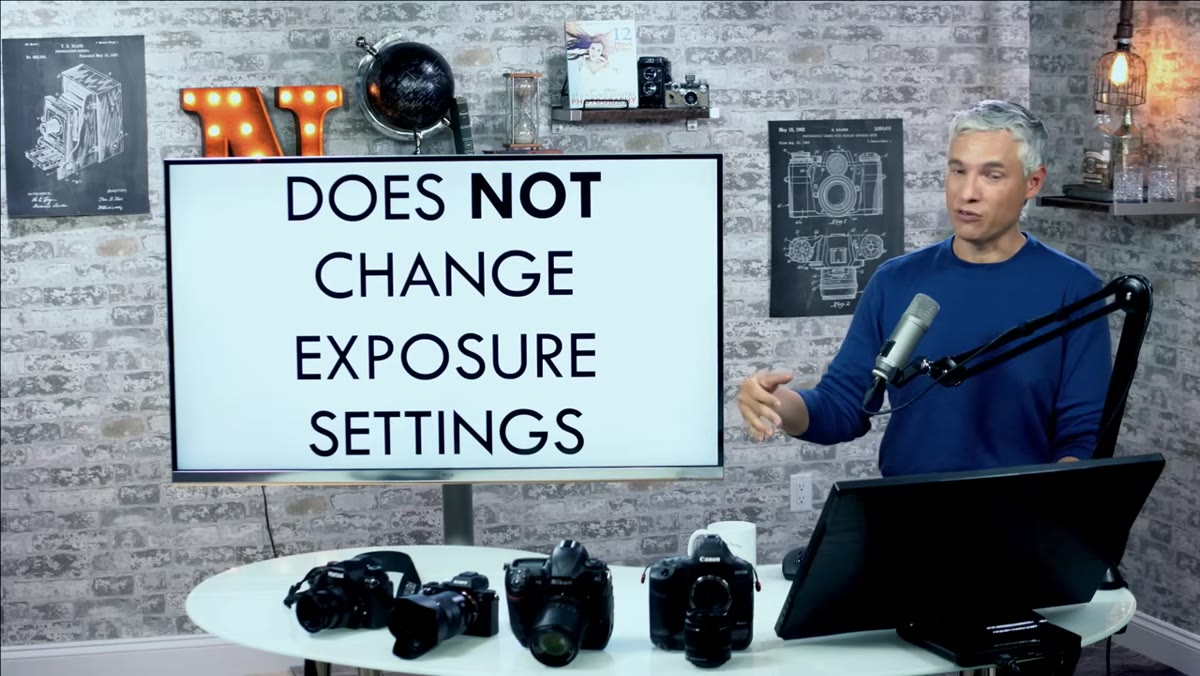
Before anything else, Tony makes a point that deserves to be repeated loudly: crop factor is a conversion, not a physics change. Think of it like converting miles per hour to kilometers per hour. The car isn’t going faster or slower. You’re just expressing the same thing in different units. Crop factor does not change your exposure settings. ISO, aperture, and shutter speed stay exactly the same on the camera. This clears up one of the most persistent pieces of confusion in camera forums, and it’s the foundation you need before the rest of this makes sense.
Step 2: Calculate the Effective Megapixels You’ll Actually Get
 Formula on screen dividing full-frame megapixels by crop factor squared
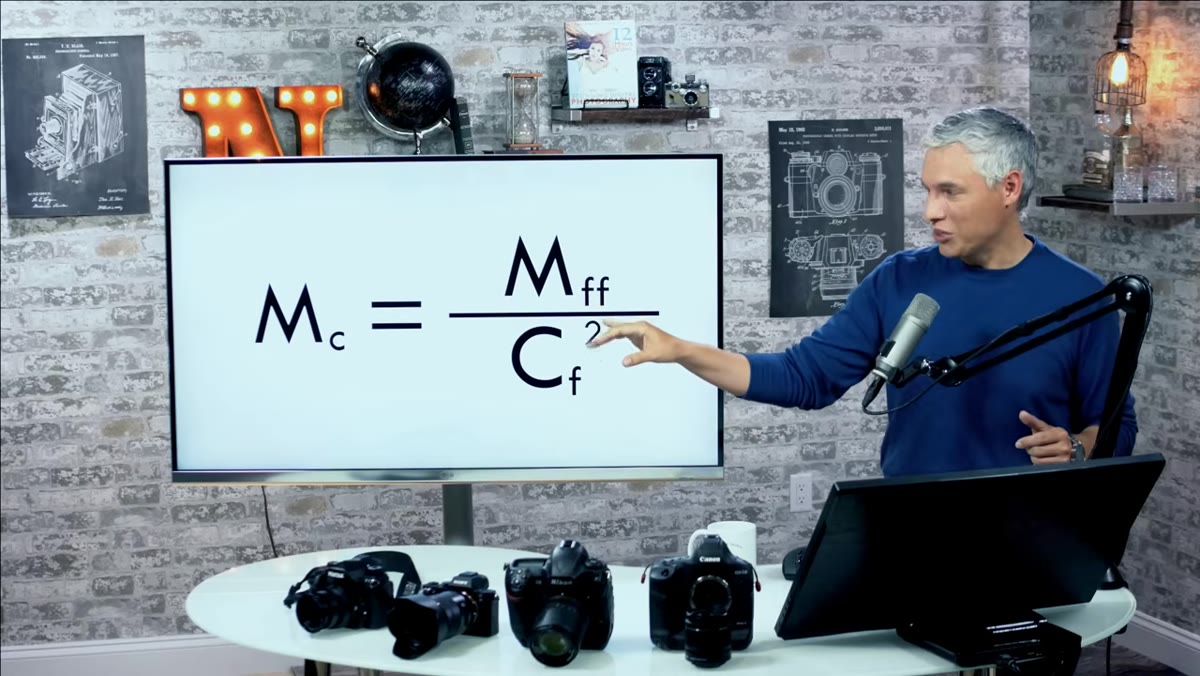
Here’s the core formula. Take your full-frame camera’s megapixel count and divide it by the crop factor squared. On a 36-megapixel body with a 1.5x crop factor APS-C lens, you divide 36 by 2.25 (which is 1.5 squared), landing you at 16 megapixels. That’s the effective resolution you’re working with after the camera crops the image to match the lens’s coverage area. The quick mental shortcut: divide your full-frame megapixel count by roughly 2.25 for any APS-C lens on a 1.5x crop system. It’s not magic, it’s just geometry.
Step 3: Know What Vignetting Looks Like and When to Expect It
 Full-frame image showing heavy black corners from APS-C lens at 18mm
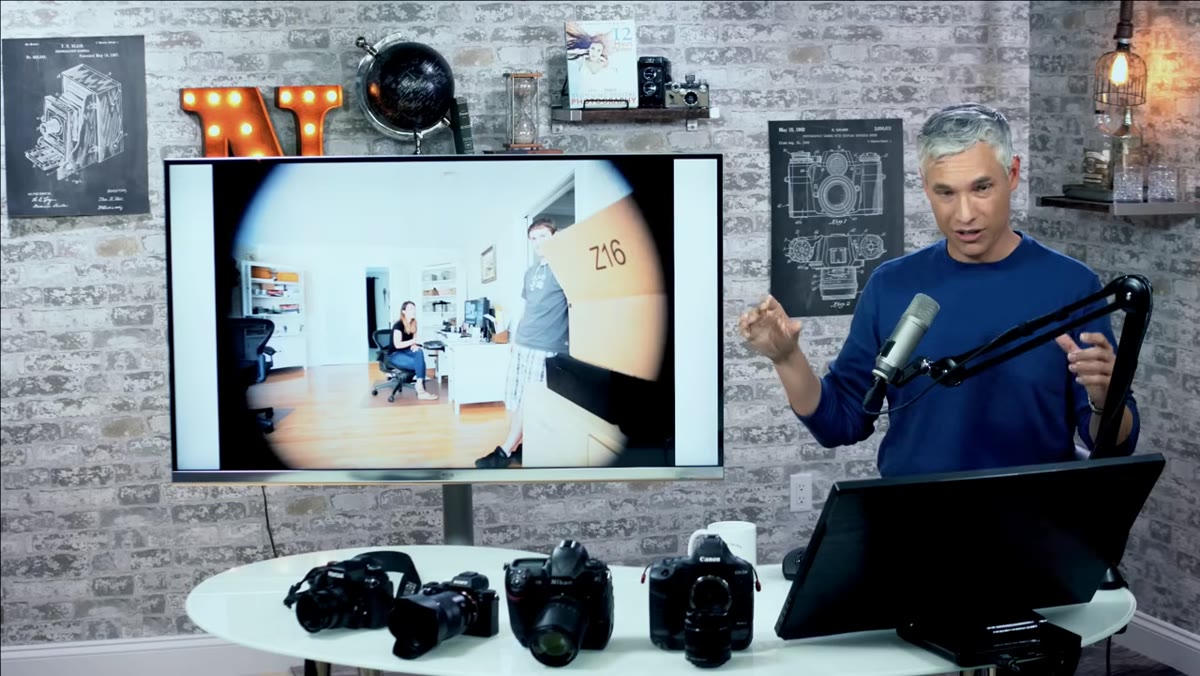
When you mount an APS-C lens on a full-frame body and shoot without enabling crop mode, you’ll see significant darkening or complete blackout in the corners. Every lens projects a circular image circle out of its rear element, and your sensor is rectangular. On a crop body, the sensor is small enough to fit inside that circle cleanly. On a full-frame body, the corners stick out past the circle’s edge. What you’re seeing is the sensor reaching beyond where the lens was designed to project. The image Tony shows at 18mm is extreme, but it illustrates the point clearly.
Step 4: Test Your Specific Lens Before Writing It Off Completely
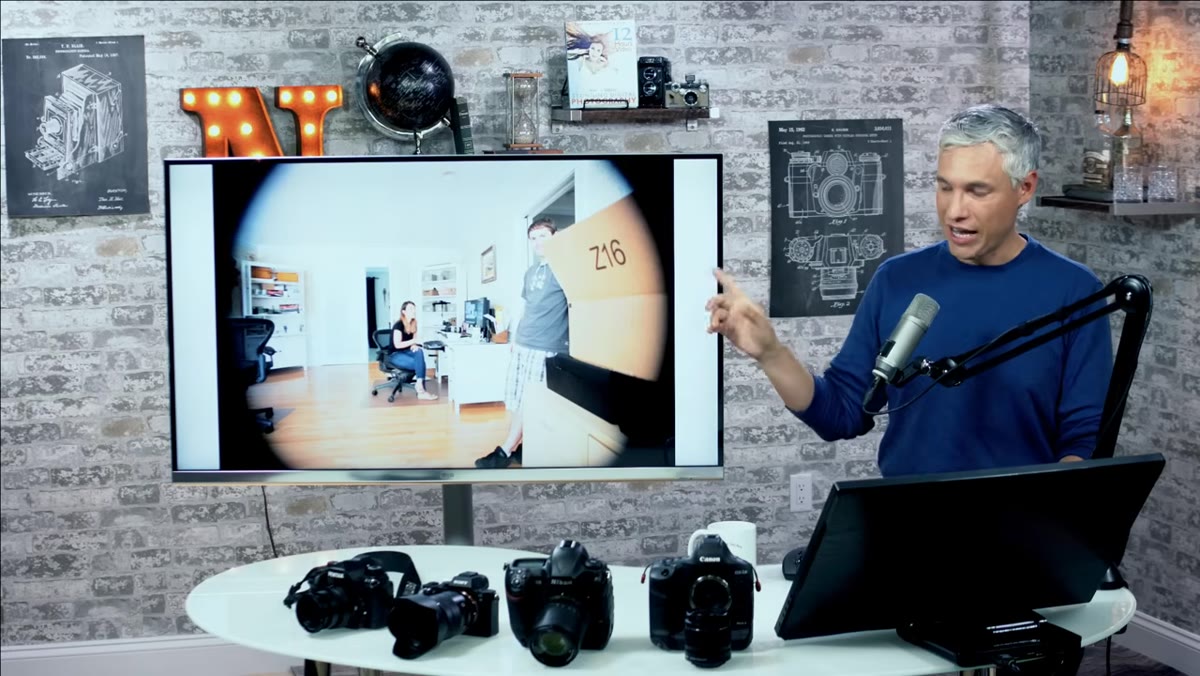 Same APS-C lens zoomed to 55mm filling the full-frame sensor
Here’s where it gets interesting. At longer focal lengths, many APS-C zoom lenses actually project a large enough image circle to cover the full-frame sensor with minimal vignetting. Tony shows the same APS-C 18-55mm kit lens at 55mm, and it nearly fills the frame. The corners are slightly darker, but it’s workable, especially if you correct in post. Pentax APS-C lenses in particular tend to have generous image circles. The takeaway is that you need to test your specific lens at multiple focal lengths before deciding how to use it. Don’t assume the worst at every zoom position.
Step 5: Factor in the Noise Penalty When You Crop In-Camera
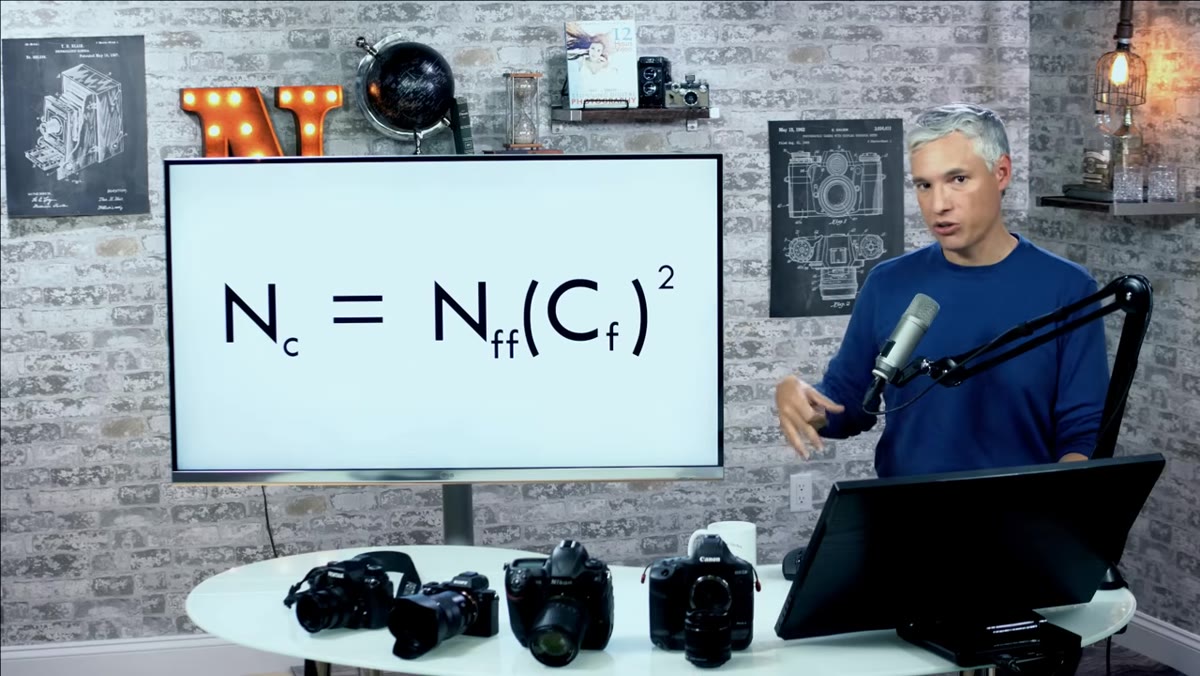 Formula showing noise multiplied by crop factor squared
If your camera’s crop mode kicks in automatically when it detects an APS-C lens, or if you manually crop the image to the center portion, you need to account for noise. The formula is straightforward: multiply the full-frame body’s noise level by the crop factor squared. For a 1.5x crop, that’s a 2.25x increase in visible noise compared to what you’d see on a native full-frame shot. The reason is simple. You’re enlarging a smaller portion of the sensor to the same display size you’d use for a full-frame image. All that noise gets scaled up with it. This doesn’t mean don’t do it, but go in knowing that high-ISO performance will look more like a native crop-sensor camera than your full-frame body’s spec sheet.
Step 6: Check How Your Specific Camera System Handles the Pairing
 Canon APS-C lens physically unable to mount on full-frame Canon body
This is the part that trips people up because it’s different for every manufacturer. Canon physically prevents you from mounting EF-S lenses on full-frame EF bodies at the hardware level. The mounts are incompatible by design. Nikon takes the opposite approach and allows F-mount APS-C lenses (DX lenses) on full-frame FX bodies, automatically enabling a crop mode that uses the center of the sensor. Sony’s E-mount is shared across APS-C and full-frame bodies, so APS-C lenses mount without issue and the camera handles the crop mode automatically. Pentax also allows cross-format mounting and is notable for how well many of their APS-C lenses cover the full-frame field. Knowing your system’s behavior before you try this matters, because Canon users have no native path here without an adapter.
My Take: This Changes the Budget Lens Math Significantly
I ran the numbers on my own situation after watching this. I have a sharp APS-C prime that I paid $89 for. On my full-frame body in crop mode, it delivers roughly 16 usable megapixels with noise characteristics similar to a native APS-C camera. For web content and social media delivery, that’s completely fine. For large prints, I’d reach for native full-frame glass. But for run-and-gun shooting where I need a fast focal length covered and I’m not printing billboard-sized, that lens earns its place in the bag.
The honest caveat: this strategy works best on higher-megapixel full-frame bodies. If you’re on a 24-megapixel camera, you’re walking away with around 10-11 megapixels in crop mode, which starts to feel limiting. On a 36 to 45 megapixel body, the math is much more comfortable. Check your body’s native resolution before deciding whether your APS-C glass is a viable workaround or just dead weight.
The single most important thing to take from this: crop lenses on full-frame bodies are not automatically a mistake. They are a trade-off with specific, calculable costs in resolution and noise, and for plenty of real-world shooting situations, that trade-off is entirely acceptable. Know the numbers, test your specific glass, and let the math decide.
Watch the full tutorial on YouTube to see Tony walk through each manufacturer’s behavior with actual sample images and the formulas explained on screen.
Comments
Leave a Comment