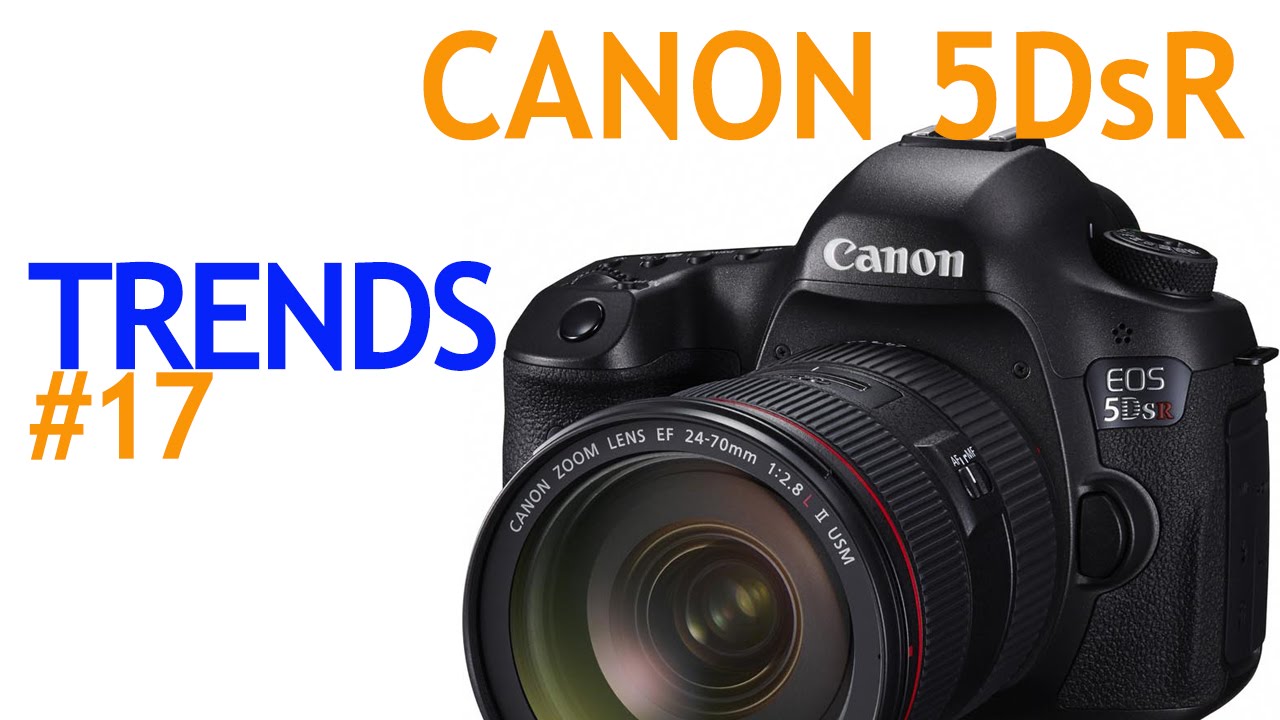
I’ll be honest - when Canon announced not one but two high-megapixel full-frame bodies, my first instinct was to check whether either of them would fit into a budget shooter’s workflow. Spoiler: they won’t, not even close. But understanding what Canon built here matters even if you’re not buying, because the tradeoffs baked into these cameras reveal something important about what you’re actually paying for when you go up the gear ladder. In this The Slanted Lens tutorial, Jay P. Morgan and his co-host walk through the Canon 5Ds and 5DsR announcements with the kind of direct, no-nonsense analysis that cuts through the press release noise. Watch the full tutorial on YouTube
What struck me most watching this breakdown is how deliberately Canon narrowed the focus of these cameras. This is not a Swiss Army knife body. Canon made choices here, said no to entire feature categories, and that philosophy has everything to do with what 50.6 megapixels actually demands from a sensor. If you shoot stills professionally, or you’re trying to understand what separates a purpose-built camera from a general-purpose one, this walkthrough is worth your time.
Step 1: Understand What These Cameras Are NOT Built For
 Host explaining camera is not designed for video
The very first thing Jay P. flags is that the 5Ds and 5DsR are not video cameras, and he’s not being dismissive - he’s reading directly from Canon’s own release language. The video feature set on these bodies is roughly equivalent to the original 5D Mark I. No headphone jack, no clean HDMI output for 1080p, no 60 frames per second at 1080p. You get 60fps at 720p, which in 2015 terms is not a selling point.
Host explaining camera is not designed for video
The very first thing Jay P. flags is that the 5Ds and 5DsR are not video cameras, and he’s not being dismissive - he’s reading directly from Canon’s own release language. The video feature set on these bodies is roughly equivalent to the original 5D Mark I. No headphone jack, no clean HDMI output for 1080p, no 60 frames per second at 1080p. You get 60fps at 720p, which in 2015 terms is not a selling point.
This matters because it sets expectations immediately. If you walk into a camera store thinking this is an upgrade to the 5D Mark III for hybrid shooters, you’ll walk out disappointed. Canon built this sensor for maximum still image resolution, and every other decision flows from that priority. Know what you’re buying before you buy it.
Step 2: Know the Core Spec - 50.6 Megapixels on Full Frame
 Discussion of full-frame sensor and megapixel count
Both the 5Ds and 5DsR share the same 50.6 megapixel full-frame sensor. That number isn’t just a marketing figure - it has real consequences for file sizes, storage requirements, lens demands, and shooting technique. At this resolution, any softness in your glass shows up. Any camera shake shows up. The sensor will outresolve lenses that perform fine on a 22-megapixel body.
Discussion of full-frame sensor and megapixel count
Both the 5Ds and 5DsR share the same 50.6 megapixel full-frame sensor. That number isn’t just a marketing figure - it has real consequences for file sizes, storage requirements, lens demands, and shooting technique. At this resolution, any softness in your glass shows up. Any camera shake shows up. The sensor will outresolve lenses that perform fine on a 22-megapixel body.
For working photographers, this means your existing lens lineup needs a hard look before you commit. L-Series glass is going to be the minimum entry point to actually use what this sensor can deliver. Cheaper glass will technically work, but you’ll be leaving a significant portion of that 50.6 megapixels on the table, which is an expensive waste.
Step 3: Understand the Key Difference - The Cancelled Low Pass Filter on the 5DsR
 Explanation of low pass filter cancellation on 5DsR
Here is where the two cameras diverge. The 5DsR has a cancelled low pass filter, which means the anti-aliasing filter is effectively neutralized. The result is sharper, more detailed images because the filter that slightly blurs fine detail to prevent moire patterns is no longer doing its job. For architecture, product, and landscape photographers, this is genuinely appealing.
Explanation of low pass filter cancellation on 5DsR
Here is where the two cameras diverge. The 5DsR has a cancelled low pass filter, which means the anti-aliasing filter is effectively neutralized. The result is sharper, more detailed images because the filter that slightly blurs fine detail to prevent moire patterns is no longer doing its job. For architecture, product, and landscape photographers, this is genuinely appealing.
The trade-off is that moire and false color artifacts become a real risk, especially for video. Pan the 5DsR across a patterned surface while shooting video and you’ll see rainbow fringing appear in a way that’s difficult to fix in post. For pure still work in controlled environments, the 5DsR likely delivers the edge. For anything involving motion or unpredictable patterns, the standard 5Ds is the safer pick.
Step 4: Use the In-Camera Crop Modes Strategically
 Discussion of 1.3x and 1.6x crop options and megapixel output
Both cameras offer two crop modes: a 1.3x crop that outputs around 30 megapixels, and a 1.6x crop that outputs around 20 megapixels. The hosts are a little skeptical of this feature in practice, and honestly, I get it. If you’re going to crop anyway, you can do it in post with more control.
Discussion of 1.3x and 1.6x crop options and megapixel output
Both cameras offer two crop modes: a 1.3x crop that outputs around 30 megapixels, and a 1.6x crop that outputs around 20 megapixels. The hosts are a little skeptical of this feature in practice, and honestly, I get it. If you’re going to crop anyway, you can do it in post with more control.
That said, there is a legitimate use case here. If you’re shooting events and you want your 200mm lens to reach 310mm equivalent without bringing a longer, heavier telephoto, you can enable the crop mode and still walk away with a 30-megapixel image. That’s more than enough resolution for most print applications. The secondary benefit is reduced file sizes when you don’t need the full 50.6 megapixels, which matters when you’re burning through cards during a long shoot.
Step 5: Rethink Your ISO Strategy at This Resolution
 ISO range discussion, 100-6400 native with expansion to 50-12800
The native ISO range runs from 100 to 6400, expandable to 50 on the low end and 12800 on the high end. The expansion has to be manually enabled in the camera’s menu, which the hosts find confusing - and fair enough. The likely reason is that the expanded range comes with trade-offs in dynamic range or noise performance that Canon doesn’t want active by default.
ISO range discussion, 100-6400 native with expansion to 50-12800
The native ISO range runs from 100 to 6400, expandable to 50 on the low end and 12800 on the high end. The expansion has to be manually enabled in the camera’s menu, which the hosts find confusing - and fair enough. The likely reason is that the expanded range comes with trade-offs in dynamic range or noise performance that Canon doesn’t want active by default.
Here’s the practical takeaway: if you’re shooting a 50-megapixel sensor, your whole mindset around ISO needs to shift. This is a daylight and controlled-light camera. Tripod, strobes, and low ISO is where it lives. Shooting at ISO 50 with a clean source of light, you’re capturing an amount of information that most photographers genuinely don’t need - which means when you do need it, it’s there. Treating this like a low-light street camera is using the wrong tool for the job.
What Budget Shooters Can Actually Take From This
I’m not the target audience for a $3,700 body, and neither are most people reading this site. But the framework this video lays out is genuinely useful regardless of what camera you’re shooting. Every camera involves deliberate tradeoffs. The 5Ds gives up video capability, high ISO performance, and slow-motion features in exchange for maximum resolution and per-pixel sharpness. That’s not a flaw - it’s a design choice.
When I’m evaluating budget bodies and lenses, I use the same lens. What did this manufacturer say no to, and does that no align with how I actually shoot? A $400 crop sensor camera that’s designed around video and run-and-gun work is a better camera for a wedding videographer than a $3,700 body that locks up its best features behind a tripod. Know your use case, then match the tool to it. That logic holds at every price point.
The single most important thing this tutorial communicates is that more megapixels is not an upgrade - it’s a specialization. The Canon 5Ds and 5DsR are exceptional tools for a specific kind of photographer, and genuinely poor choices for everyone else. Before you chase the spec sheet, figure out which category you’re in.
Watch the full tutorial on YouTube to hear the full breakdown, including the L-Series lens discussion that follows the camera segment.
Comments
Leave a Comment