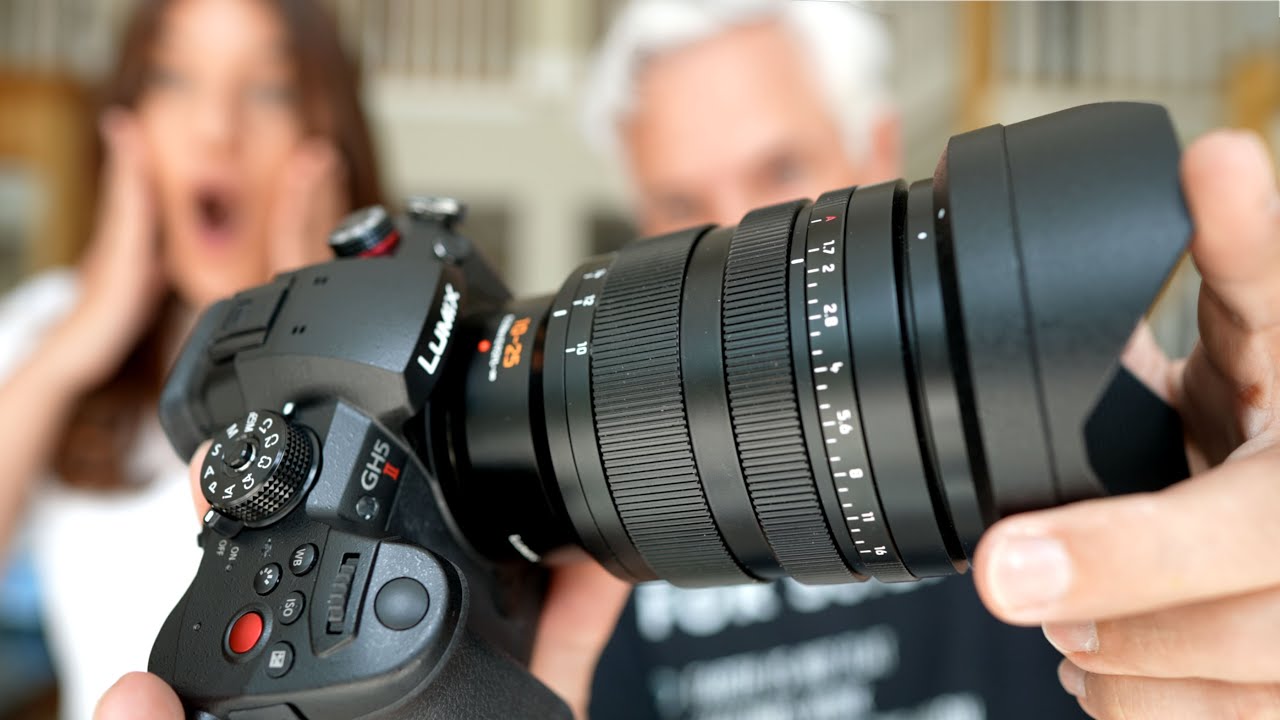
I’ve been burned by the “this time Panasonic fixed the autofocus” promise before. Every GH-series release comes with a wave of optimism from the micro four thirds community, and every time, the contrast-detect focus hunting rears its head the moment you put the camera in front of a real subject in real light. So when Tony and Chelsea Northrup took the GH5 II out for an actual vlogging field test, not a studio demo, I paid close attention. These two have been shooting YouTube for nearly a decade, mostly on Panasonic gear, and they gave up on it. That context matters. This isn’t a sponsored puff piece from someone who never used the previous model.
Watch the full tutorial on YouTube
In this Tony and Chelsea Northrup tutorial, they drag the GH5 II and the new Leica 10-25mm f/1.7 zoom through a vlogging scenario, a car show that turns into a one-car-car-show, and a beach boardwalk. What comes out is one of the more honest camera assessments I’ve seen this year. Below I’ve broken down the key lessons from the video into a practical walkthrough you can use to decide whether this camera fits your workflow.
Step 1: Understand What the GH5 II Actually Improved Over the Original
 GH5 II camera body shown with key specs listed
The GH5 II is not a ground-up redesign. Panasonic kept the micro four thirds sensor and the overall body, then targeted the specific complaints that drove creators away. The two biggest upgrades are 4K 60fps in full 10-bit, which the original GH5 could not do, and a jump in in-body image stabilization from five stops to six and a half stops. On top of that, it adds wireless live streaming directly to platforms like YouTube over Wi-Fi, which removes one cable and one device from a solo creator’s setup. Knowing which problems a camera is solving helps you assess whether those problems were actually yours.
GH5 II camera body shown with key specs listed
The GH5 II is not a ground-up redesign. Panasonic kept the micro four thirds sensor and the overall body, then targeted the specific complaints that drove creators away. The two biggest upgrades are 4K 60fps in full 10-bit, which the original GH5 could not do, and a jump in in-body image stabilization from five stops to six and a half stops. On top of that, it adds wireless live streaming directly to platforms like YouTube over Wi-Fi, which removes one cable and one device from a solo creator’s setup. Knowing which problems a camera is solving helps you assess whether those problems were actually yours.
Step 2: Test Autofocus in a Realistic Vlogging Scenario, Not a Lab
 Tony filming himself with camera on gimbal outdoors
Tony and Chelsea specifically chose to vlog a real event rather than shoot test charts, and that methodology is worth copying in your own camera evaluations. For vloggers, the critical autofocus test is a close-to-far subject transition, the kind you do constantly when you hold something up to the camera during an unboxing or gear segment. The GH5 II handled this transition smoothly. The focus pull was slower than what you’d get from a Canon or Sony phase-detect system, but it was predictable and clean, with none of the hunting and snapping that plagued the original. If you’re evaluating any camera for solo vlogging, run this specific test before committing.
Tony filming himself with camera on gimbal outdoors
Tony and Chelsea specifically chose to vlog a real event rather than shoot test charts, and that methodology is worth copying in your own camera evaluations. For vloggers, the critical autofocus test is a close-to-far subject transition, the kind you do constantly when you hold something up to the camera during an unboxing or gear segment. The GH5 II handled this transition smoothly. The focus pull was slower than what you’d get from a Canon or Sony phase-detect system, but it was predictable and clean, with none of the hunting and snapping that plagued the original. If you’re evaluating any camera for solo vlogging, run this specific test before committing.
Step 3: Watch for Auto Exposure Instability Before You Shoot Your First Real Video
 Background exposure flickering as subject moves in frame
This one caught me off guard in the review because it’s not a GH5 II exclusive flaw. Tony flags it early: as he moves the camera around while face-tracking is active, the background brightness fluctuates noticeably because the camera is constantly reassessing the exposure based on where it thinks the face is in the frame. Sony cameras do this too. The fix is manual exposure, but that creates a real workflow problem for solo creators who can’t step behind the camera to adjust settings mid-shoot. If you’re running this camera solo, build a manual exposure preset for your typical shooting environment before you go live or start rolling. Set it, lock it, and only break it out if the light changes dramatically.
Background exposure flickering as subject moves in frame
This one caught me off guard in the review because it’s not a GH5 II exclusive flaw. Tony flags it early: as he moves the camera around while face-tracking is active, the background brightness fluctuates noticeably because the camera is constantly reassessing the exposure based on where it thinks the face is in the frame. Sony cameras do this too. The fix is manual exposure, but that creates a real workflow problem for solo creators who can’t step behind the camera to adjust settings mid-shoot. If you’re running this camera solo, build a manual exposure preset for your typical shooting environment before you go live or start rolling. Set it, lock it, and only break it out if the light changes dramatically.
Step 4: Pair the Camera with the Right Lens to Close the Full-Frame Gap
 10-25mm f/1.7 lens mounted on GH5 II body
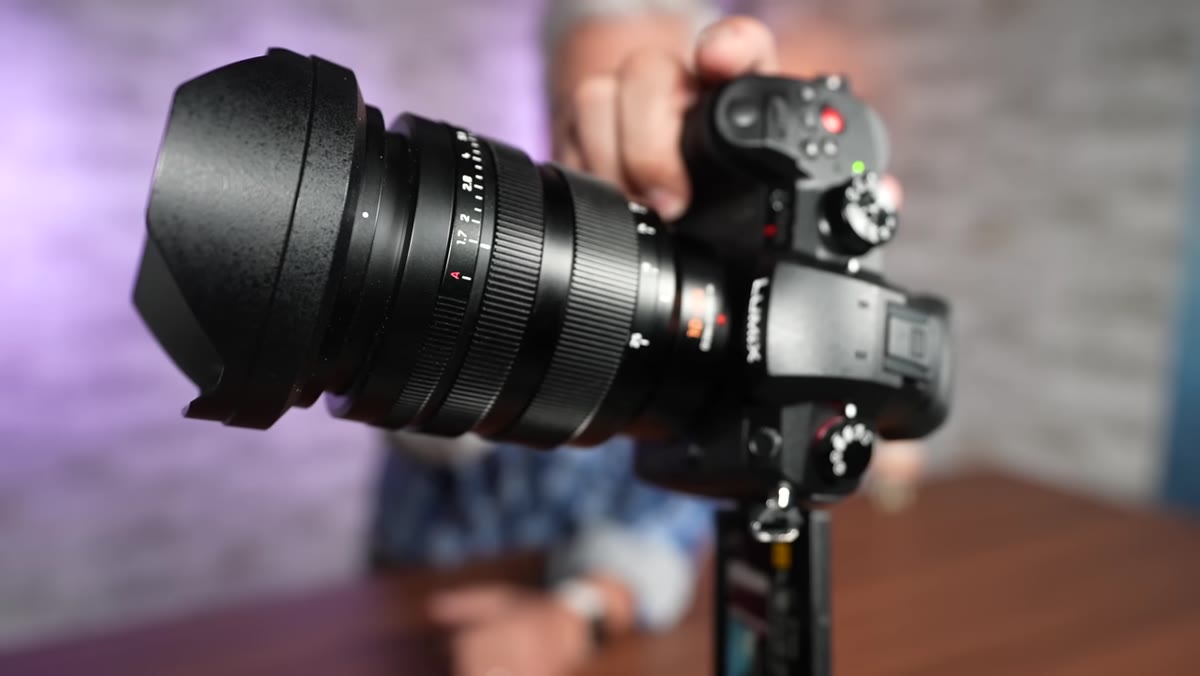
Micro four thirds sensors have a 2x crop factor, which historically meant you needed speed boosters and adapted lenses to get shallow depth of field or strong low-light performance. The Leica 10-25mm f/1.7 zoom changes that equation within the native mount. Tony demonstrates that this lens delivers background blur and low-light capability that previously required rigging an APS-C lens with a speed booster, a combo that introduced flaring problems and slower autofocus. The f/1.7 aperture on this zoom gives you full-frame-equivalent bokeh in a package that plays nicely with the camera’s autofocus system. Yes, the lens is expensive. But it replaces a whole kit of adapters and primes, which is a trade worth pricing out before you dismiss it.
10-25mm f/1.7 lens mounted on GH5 II body
Micro four thirds sensors have a 2x crop factor, which historically meant you needed speed boosters and adapted lenses to get shallow depth of field or strong low-light performance. The Leica 10-25mm f/1.7 zoom changes that equation within the native mount. Tony demonstrates that this lens delivers background blur and low-light capability that previously required rigging an APS-C lens with a speed booster, a combo that introduced flaring problems and slower autofocus. The f/1.7 aperture on this zoom gives you full-frame-equivalent bokeh in a package that plays nicely with the camera’s autofocus system. Yes, the lens is expensive. But it replaces a whole kit of adapters and primes, which is a trade worth pricing out before you dismiss it.
Step 5: Evaluate Flare Resistance by Shooting Into the Light
 Camera pointed toward sun showing minimal lens flare
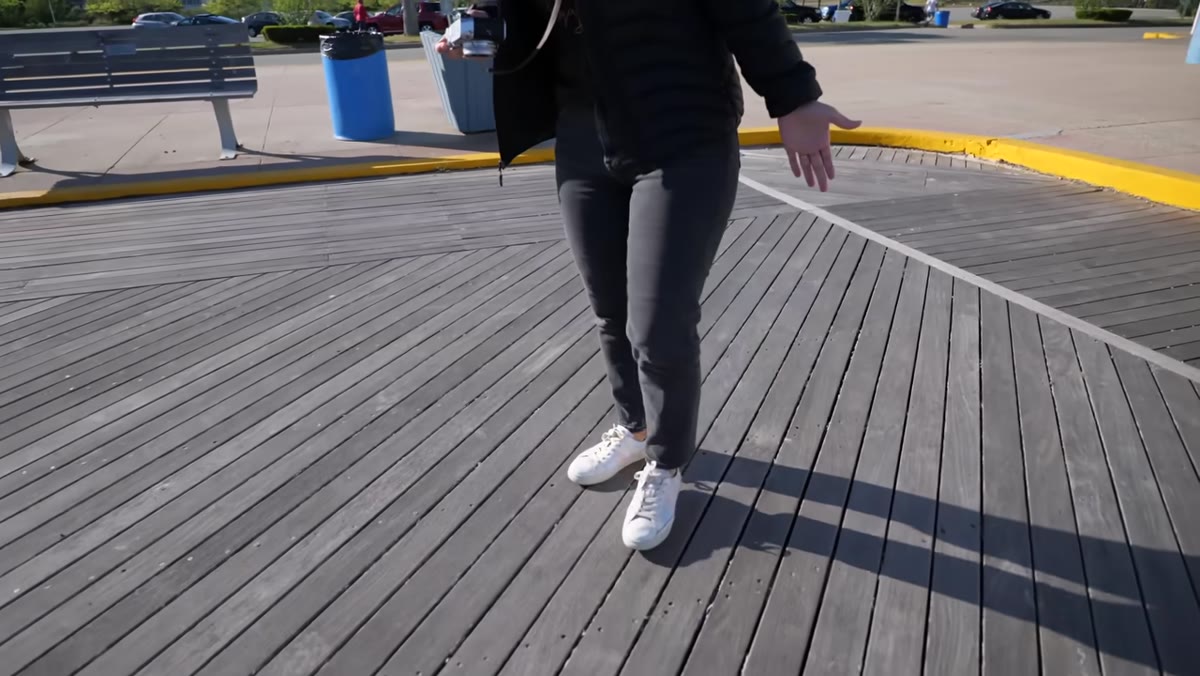
One specific hardware upgrade worth checking in any camera you’re considering for outdoor content is sensor anti-flare coating. Tony deliberately points the GH5 II directly into the sun to test this, and the result is a small amount of flare that any competent editor can manage. Panasonic added an anti-reflective coating to the sensor to reduce internal light bouncing, which previously showed up as ugly artifacts when shooting in high-contrast outdoor environments. For car shows, product shoots outside, or any situation where you’re moving around and can’t always control your angle to the sun, this is a genuine quality-of-life improvement.
Camera pointed toward sun showing minimal lens flare
One specific hardware upgrade worth checking in any camera you’re considering for outdoor content is sensor anti-flare coating. Tony deliberately points the GH5 II directly into the sun to test this, and the result is a small amount of flare that any competent editor can manage. Panasonic added an anti-reflective coating to the sensor to reduce internal light bouncing, which previously showed up as ugly artifacts when shooting in high-contrast outdoor environments. For car shows, product shoots outside, or any situation where you’re moving around and can’t always control your angle to the sun, this is a genuine quality-of-life improvement.
Step 6: Apply the “Ex-User Return Test” When Evaluating Any Gear
 Tony and Chelsea discussing switching from GH cameras to Canon
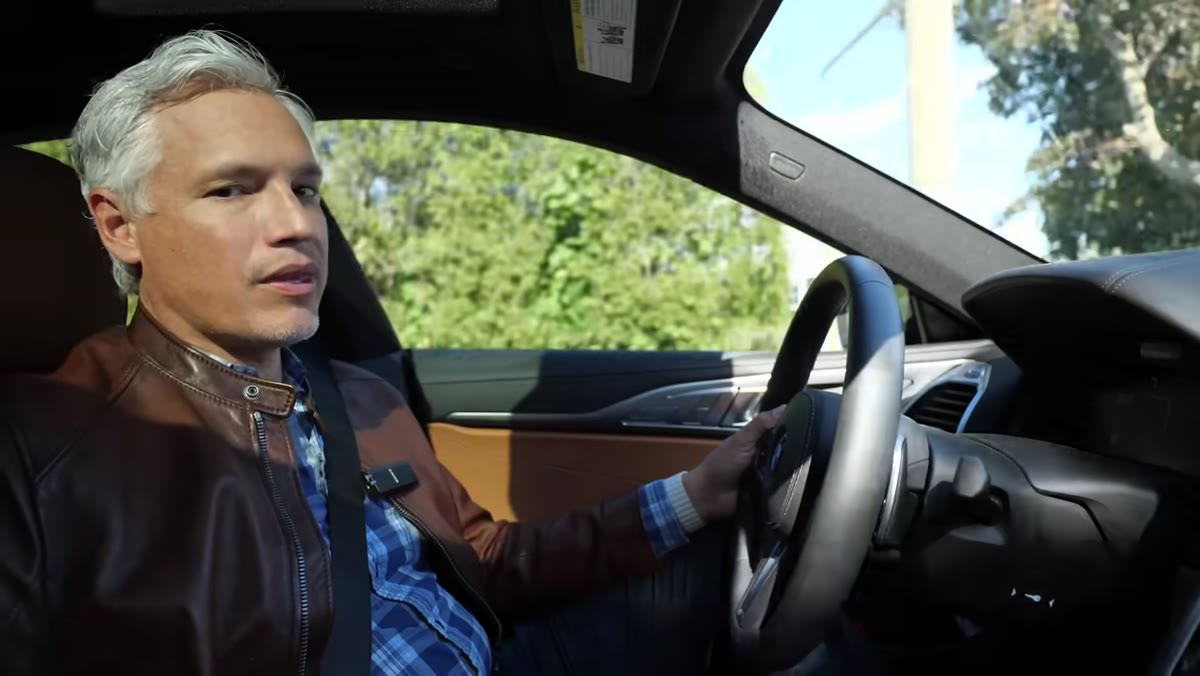
The most useful analytical frame in this entire review is something I’d call the ex-user return test. Tony and Chelsea walked away from Panasonic GH cameras after years of loyalty because the autofocus wasn’t reliable enough for their workflow. They switched to Canon, accepting that Canon didn’t offer 4K60 or dual card slots, because the results were more consistent. Now they’re back, explicitly asking whether Panasonic has fixed the thing that drove them away. That’s a rigorous test. When you’re evaluating a new camera, ask yourself: what specific failure made you leave the last one, and does this new option actually solve that failure? Feature lists won’t tell you. Field tests will.
Tony and Chelsea discussing switching from GH cameras to Canon
The most useful analytical frame in this entire review is something I’d call the ex-user return test. Tony and Chelsea walked away from Panasonic GH cameras after years of loyalty because the autofocus wasn’t reliable enough for their workflow. They switched to Canon, accepting that Canon didn’t offer 4K60 or dual card slots, because the results were more consistent. Now they’re back, explicitly asking whether Panasonic has fixed the thing that drove them away. That’s a rigorous test. When you’re evaluating a new camera, ask yourself: what specific failure made you leave the last one, and does this new option actually solve that failure? Feature lists won’t tell you. Field tests will.
What This Review Doesn’t Answer for Budget Shooters
The GH5 II is priced in a range where you’re also looking at cameras from Sony and Canon that have phase-detect autofocus built in. The Panasonic’s contrast-detect system is genuinely improved, but “improved contrast detect” and “competitive with phase detect” are not the same thing. Tony acknowledges the focus transitions were slower than Canon or Sony equivalents. For a one-person YouTube channel where every shot counts, that speed gap can still cost you usable footage. My honest take: if you’re already deep in the Panasonic lens ecosystem, this upgrade makes real sense. If you’re starting fresh and autofocus reliability is your top priority, the math gets harder. I’d rent before buying and run your own version of Tony’s close-to-far focus test with your actual shooting style.
The GH5 II isn’t the camera for everyone, but it may finally be the Panasonic that earns back the creators who left. The autofocus is fixed enough to be usable, the 4K60 10-bit output is a genuine spec win, and the 10-25mm f/1.7 lens solves the micro four thirds background blur problem without adapters. That’s a meaningful package. Watch the full tutorial on YouTube to see every focus transition and exposure behavior in real conditions, not just the highlight reel.
Comments (2)
Finally someone explains this in a way that actually makes sense.
My workflow just got 10x faster. Not even kidding.
Leave a Comment