
I’ve spent years arguing that the camera matters less than most people think. Then I started paying closer attention to which features actually move the needle in the field, and a pattern emerged: it’s rarely megapixels, and it’s almost never brand name. It’s the small ergonomic stuff that saves you from missing shots or contorting yourself into a pretzel at golden hour. That’s exactly why this Tony & Chelsea Northrup review of the Pentax K-1 caught my attention. Watch the full tutorial on YouTube before or after reading this breakdown.
Tony and Chelsea took the K-1 on a real working trip through California, the Mojave, and the Sierras alongside a Canon 5DSR and a Nikon D810. That head-to-head field context is exactly what I want from a camera review. No controlled studio charts, just actual landscape shooting with experienced photographers who have strong opinions and something to compare against. What follows is my breakdown of everything this review covers, translated into practical takeaways you can act on.
Step 1: Understand What You’re Actually Evaluating
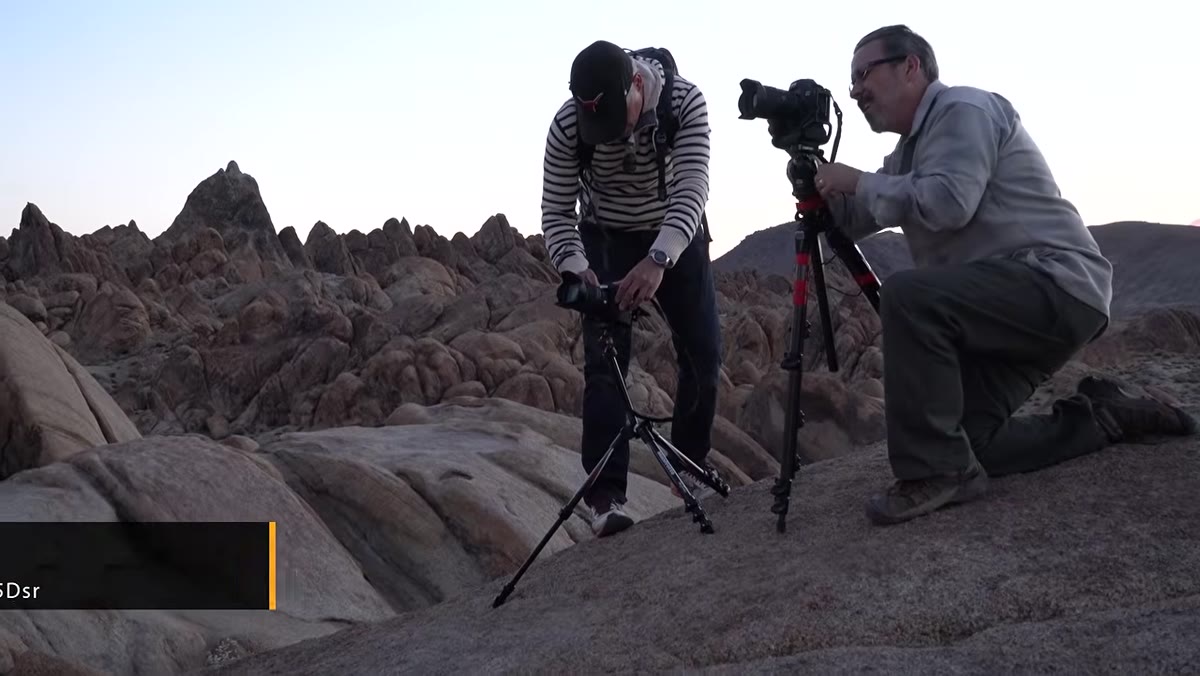 Tony shooting landscapes alongside 5DSR and D810 users
Before you can judge the K-1, you need to frame the question correctly. This isn’t a comparison of raw specs. It’s a test of whether a full-frame Pentax body holds its own in real landscape conditions against Canon and Nikon flagships. The K-1 is Pentax’s first full-frame digital body, and it launched at a price point noticeably below comparable Canon and Nikon options. That price-to-spec ratio is what makes it worth evaluating at all.
Tony shooting landscapes alongside 5DSR and D810 users
Before you can judge the K-1, you need to frame the question correctly. This isn’t a comparison of raw specs. It’s a test of whether a full-frame Pentax body holds its own in real landscape conditions against Canon and Nikon flagships. The K-1 is Pentax’s first full-frame digital body, and it launched at a price point noticeably below comparable Canon and Nikon options. That price-to-spec ratio is what makes it worth evaluating at all.
Going in with that framing matters because the K-1 wins on some things and loses badly on others. Treating it as a “better spec sheet for less money” misses the point. You have to ask whether your specific workflow lines up with what it actually does well.
Step 2: Evaluate the Tilt Screen as a Practical Landscape Tool
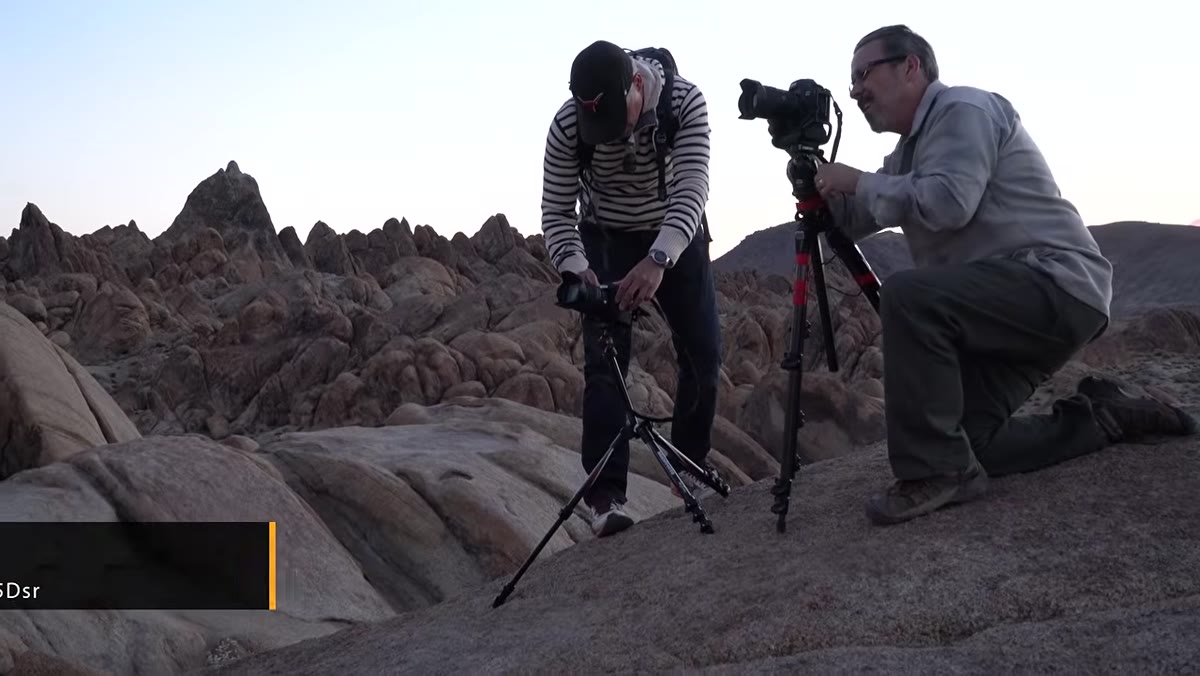 Tony using tilt screen on tripod without crouching
The tilt screen on the K-1 is the feature Tony singles out as the single biggest practical advantage during landscape shooting. While the Canon 5DSR user and the Nikon D810 user were getting down on the ground to frame low-angle tripod shots, Tony could stand or crouch comfortably and compose from the articulating screen. That sounds like a minor convenience until you’ve spent an hour shooting at ground level on cold desert rock.
Tony using tilt screen on tripod without crouching
The tilt screen on the K-1 is the feature Tony singles out as the single biggest practical advantage during landscape shooting. While the Canon 5DSR user and the Nikon D810 user were getting down on the ground to frame low-angle tripod shots, Tony could stand or crouch comfortably and compose from the articulating screen. That sounds like a minor convenience until you’ve spent an hour shooting at ground level on cold desert rock.
This is a legitimate workflow advantage, not a marketing bullet point. If you’re shooting tripod-heavy landscape work, the ability to clearly see your composition without contorting yourself changes how carefully you can actually frame a shot. The 5DSR is an extraordinary camera, but the absence of a tilt screen is a real-world penalty on terrain.
Step 3: Learn the Smart Dial System Before Dismissing It
 Tony demonstrating the top smart dial settings
The K-1 has a configurable third dial on the top of the body that can be assigned to exposure compensation, ISO, bracketing, or even Wi-Fi activation. Tony describes this as his favorite feature on the entire camera, which initially surprised me. But the logic holds: anything that keeps you out of the menu system during a shoot is valuable.
Tony demonstrating the top smart dial settings
The K-1 has a configurable third dial on the top of the body that can be assigned to exposure compensation, ISO, bracketing, or even Wi-Fi activation. Tony describes this as his favorite feature on the entire camera, which initially surprised me. But the logic holds: anything that keeps you out of the menu system during a shoot is valuable.
Set the dial to the function you use most in a given session, and you get single-dial access without hunting through screens. For landscape shooters who are constantly adjusting exposure compensation in tricky light, that directness adds up. It’s the kind of feature that sounds boring in a spec list and turns out to be the thing you miss most when you switch bodies.
Step 4: Map Out the Lens Ecosystem Before You Buy
 Pentax lens lineup compared to Canon and Nikon options
Here is where the K-1 story gets complicated, and where I think a lot of buyers make a mistake. Pentax officially lists only seven full-frame lenses optimized for digital. An expanded unofficial compatibility list gets you to around 15 options. Compare that to the hundreds of native and third-party lenses available for Canon and Nikon full-frame systems and you immediately see the ceiling.
Pentax lens lineup compared to Canon and Nikon options
Here is where the K-1 story gets complicated, and where I think a lot of buyers make a mistake. Pentax officially lists only seven full-frame lenses optimized for digital. An expanded unofficial compatibility list gets you to around 15 options. Compare that to the hundreds of native and third-party lenses available for Canon and Nikon full-frame systems and you immediately see the ceiling.
If you want to shoot wider than 24mm, for example, your Pentax options are limited to one lens in that range. A Canon shooter has access to a half-dozen options at various price points from Canon alone, plus Tamron, Sigma, Tokina, and Rokinon alternatives. The K-1 body might be the better deal. The system as a whole may not be, depending entirely on what focal lengths your work requires. This is the most important step in the evaluation: price out your full kit, not just the body.
Step 5: Stress-Test the Autofocus System Honestly
 K-1 tracking RC car across dry lake bed, focus points clustered in center
Tony’s sports test involves racing an RC car across a flat dry lake bed. The K-1 does not handle it well. The autofocus points are packed into the center of the frame, which limits your compositional choices during action shooting. There’s no joystick or thumb stick to quickly reposition the focus point, so you’re relying on a directional pad that slows you down when speed matters.
K-1 tracking RC car across dry lake bed, focus points clustered in center
Tony’s sports test involves racing an RC car across a flat dry lake bed. The K-1 does not handle it well. The autofocus points are packed into the center of the frame, which limits your compositional choices during action shooting. There’s no joystick or thumb stick to quickly reposition the focus point, so you’re relying on a directional pad that slows you down when speed matters.
Tracking accuracy is low, and the buffer situation makes things worse. Shooting JPEG, the K-1 can handle around 25 frames before buffering, and then it takes a full 30 seconds to clear to the card. For sustained shooting, that math works out to roughly one usable frame per second over time. For landscape work where nothing is moving fast, this is a non-issue. For anything that involves motion, it’s disqualifying.
Step 6: Understand Pixel Shift and When It Actually Applies
 Pixel shift explanation with sensor diagram
Pixel shift is one of the K-1’s headline features. The sensor physically moves between four consecutive exposures, capturing red, blue, and green data at every single pixel location rather than interpolating color through a Bayer filter. The result, in ideal conditions, is an image with more accurate color and finer detail than a standard 36-megapixel shot.
Pixel shift explanation with sensor diagram
Pixel shift is one of the K-1’s headline features. The sensor physically moves between four consecutive exposures, capturing red, blue, and green data at every single pixel location rather than interpolating color through a Bayer filter. The result, in ideal conditions, is an image with more accurate color and finer detail than a standard 36-megapixel shot.
The catch is that the subject and camera both need to be completely still across all four frames. For static landscape scenes on a tripod, pixel shift is a genuine technical advantage. Anything with moving water, foliage in the wind, or a subject that shifts even slightly between frames will produce artifacts. Know when to use it and when to leave it off.
What I’d Add From My Own Testing
I haven’t personally run a K-1 through the same field conditions Tony and Chelsea did, but the lens ecosystem concern is one I’ve hit repeatedly with less common systems. Before I buy into any camera platform, I build out a hypothetical kit in a spreadsheet: body, primary zoom, wide option, a fast prime if I shoot low light. If that full kit costs more than the comparable Canon or Nikon version, the cheaper body stopped being a deal somewhere in the middle of that math.
The K-1 is a compelling body for landscape shooters who already own Pentax glass or who primarily shoot in the 24-70mm range where lens options are less of a bottleneck. For everyone else, the ecosystem constraint is a real cost that doesn’t show up on the body’s price tag.
The single most important takeaway from this review is this: the K-1 is a genuinely excellent landscape camera with a tilt screen, excellent image quality, and smart ergonomics that outperform more expensive competitors in specific ways. But the lens system is the deciding factor, and you have to run that math before the body’s price tag convinces you the decision is obvious.
Watch the full tutorial on YouTube to see the field footage, the pixel shift examples, and Tony’s side-by-side comparisons with the 5DSR and D810.
Comments
Leave a Comment