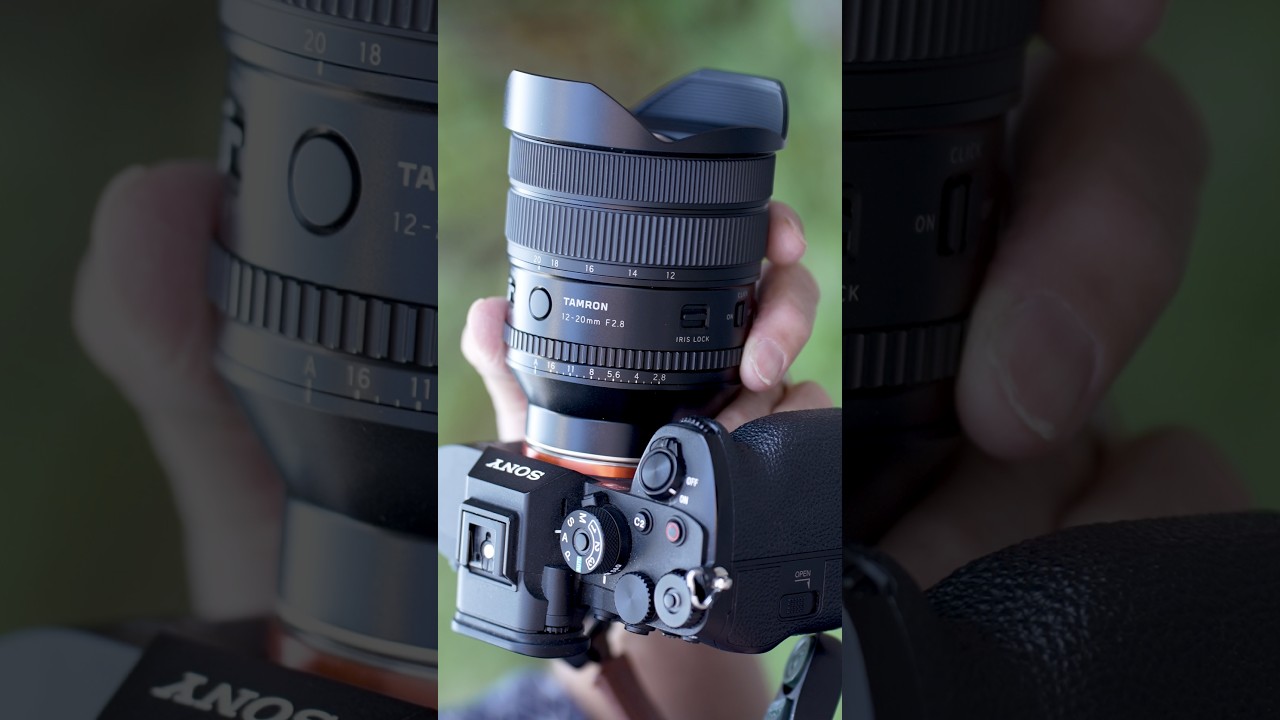
I’ve been avoiding ultra-wide lenses for years. Not because I don’t want one, but because every time I looked seriously at what was available for full-frame cameras, the math stopped making sense. A Sony G Master 12mm runs over three grand. That’s not a lens purchase, that’s a used car decision. And for someone who shoots wide angles maybe a dozen times a year, for group shots, interior architecture, and the occasional night sky outing, that number has always been a hard stop.
Then I came across the Tamron 12-20mm f/2.8, and Jay P. Morgan over at The Slanted Lens put out a hands-on tutorial that actually changed how I was thinking about this focal range. Watch the full tutorial on YouTube. What struck me wasn’t just the price point, it was how many physical controls Tamron packed onto this thing. This lens behaves like a cine lens. And for hybrid shooters who bounce between stills and video, that matters more than most reviews let on.
What follows is a breakdown of the lens features and workflow that Jay P. covers in the tutorial, written so you can understand what you’re getting before you commit.
Step 1: Understand What Makes This Lens Different From Previous Tamrons
 Tamron 12-20mm lens shown against plain background
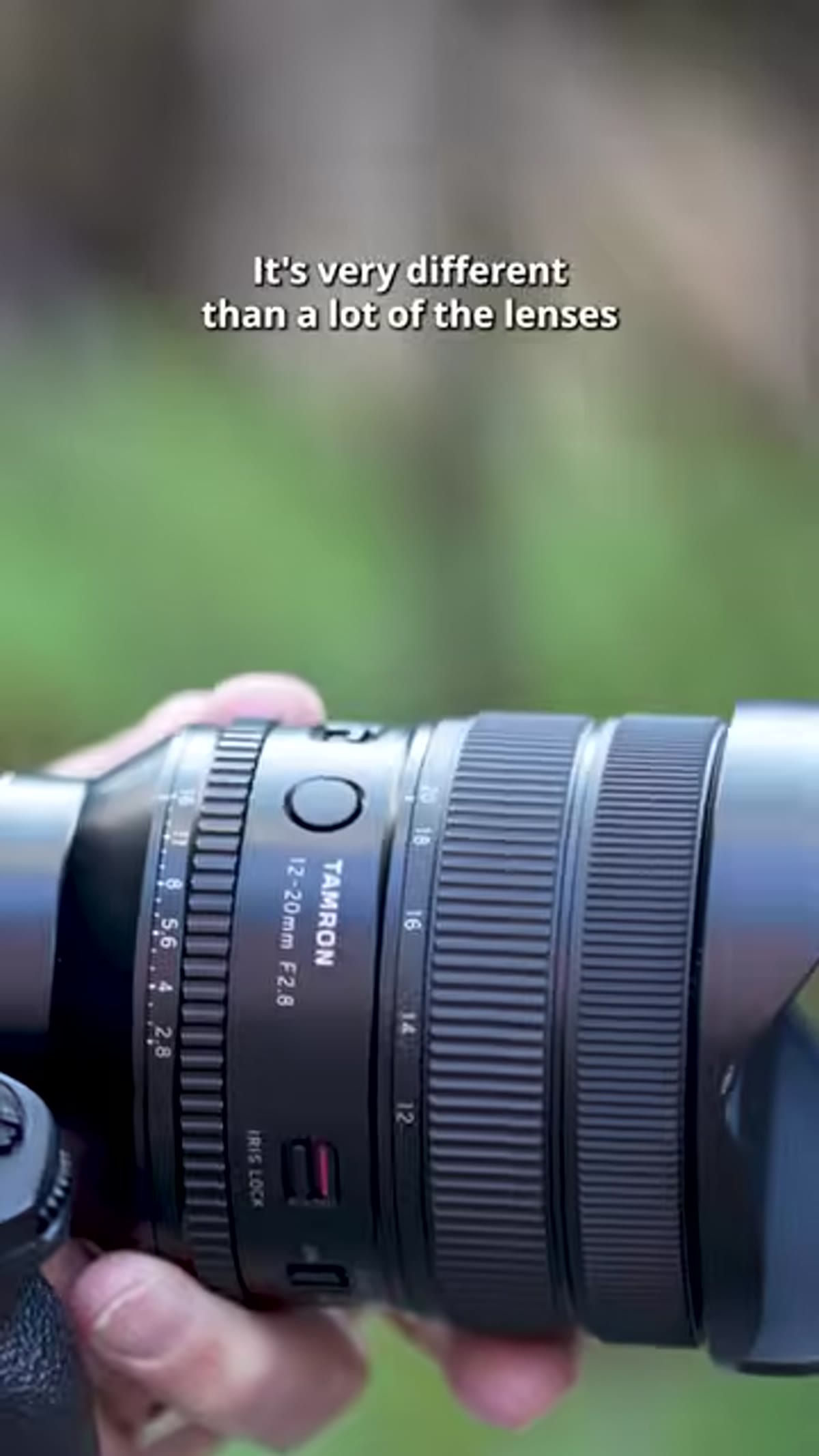
Tamron has historically leaned minimalist. Many of their lenses have zero physical controls on the barrel. Everything gets handled inside the camera menu. That’s fine for casual use, but it creates friction in fast-moving situations. The 12-20mm f/2.8 breaks that pattern completely. The barrel is loaded with dedicated controls, which is the first thing you’ll notice when you pick it up. Before you even mount it, you’re looking at a lens that is physically different from anything else Tamron has shipped for mirrorless cameras.
Tamron 12-20mm lens shown against plain background
Tamron has historically leaned minimalist. Many of their lenses have zero physical controls on the barrel. Everything gets handled inside the camera menu. That’s fine for casual use, but it creates friction in fast-moving situations. The 12-20mm f/2.8 breaks that pattern completely. The barrel is loaded with dedicated controls, which is the first thing you’ll notice when you pick it up. Before you even mount it, you’re looking at a lens that is physically different from anything else Tamron has shipped for mirrorless cameras.
Step 2: Learn the Aperture Ring and Its De-Click Feature
 Aperture ring with teeth visible on lens barrel
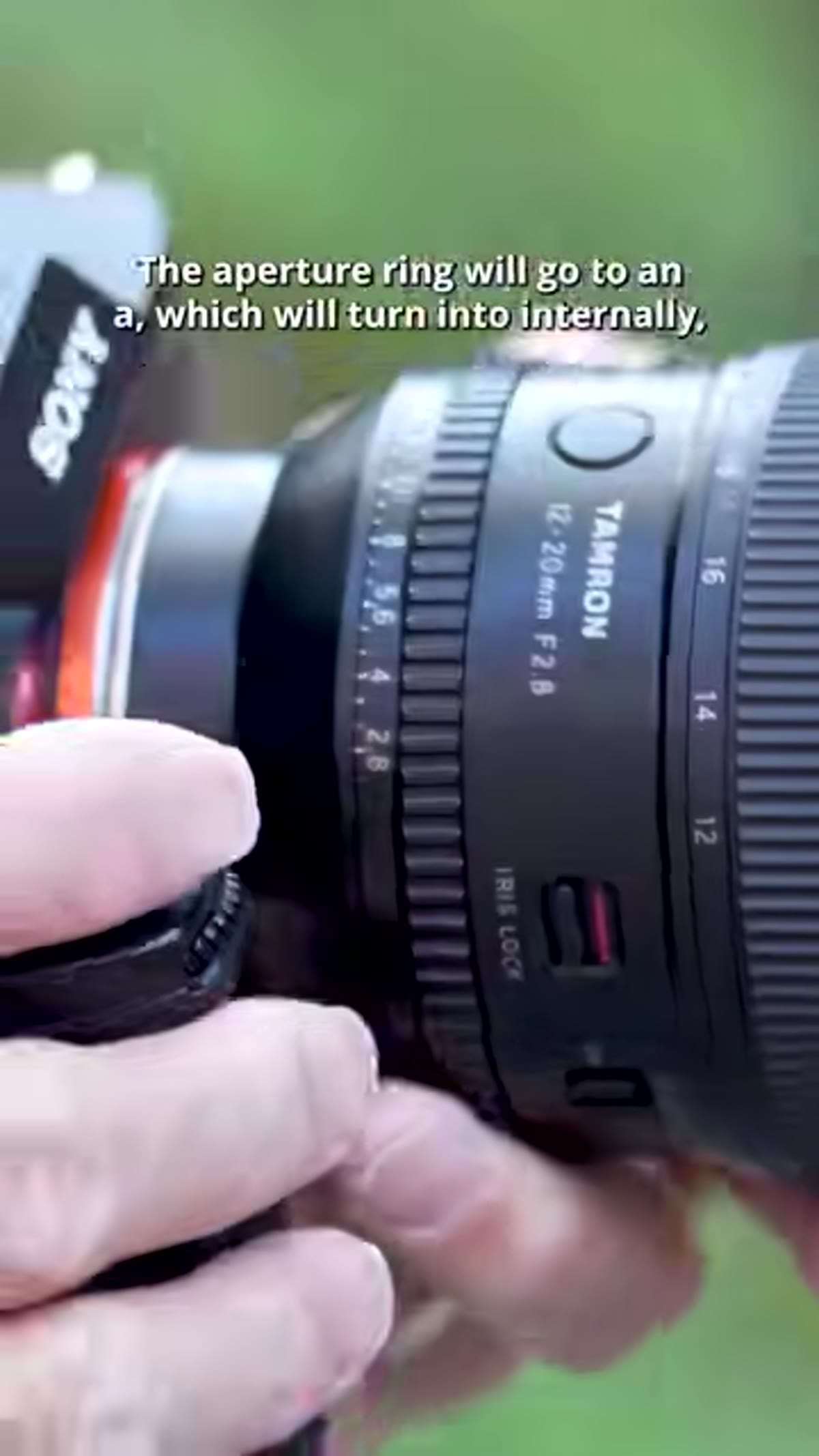
The aperture ring is the centerpiece of the physical controls. It’s substantial, with clearly defined teeth that give you real grip when you’re rotating through stops. The ring can be set to “A” mode, which hands aperture control back to the camera body, and there’s a dedicated lock to prevent you from accidentally switching into that mode mid-shoot. That lock alone saves you from the kind of mystery exposure change that ruins a time-lapse or a slow video pull.
Aperture ring with teeth visible on lens barrel
The aperture ring is the centerpiece of the physical controls. It’s substantial, with clearly defined teeth that give you real grip when you’re rotating through stops. The ring can be set to “A” mode, which hands aperture control back to the camera body, and there’s a dedicated lock to prevent you from accidentally switching into that mode mid-shoot. That lock alone saves you from the kind of mystery exposure change that ruins a time-lapse or a slow video pull.
The de-click option is where this gets interesting for video shooters. Click it off and you can rotate through apertures silently and smoothly, which is exactly what you need when you’re exposure ramping, say, walking from a dark interior out into bright sunlight. Leave the clicks on and you get tactile confirmation of each stop, which is what I prefer for stills work because I can feel where I am without pulling my eye from the viewfinder.
Step 3: Use the Zoom Lock to Prevent Barrel Creep
 Zoom lock switch on lens barrel at 12mm or 20mm position
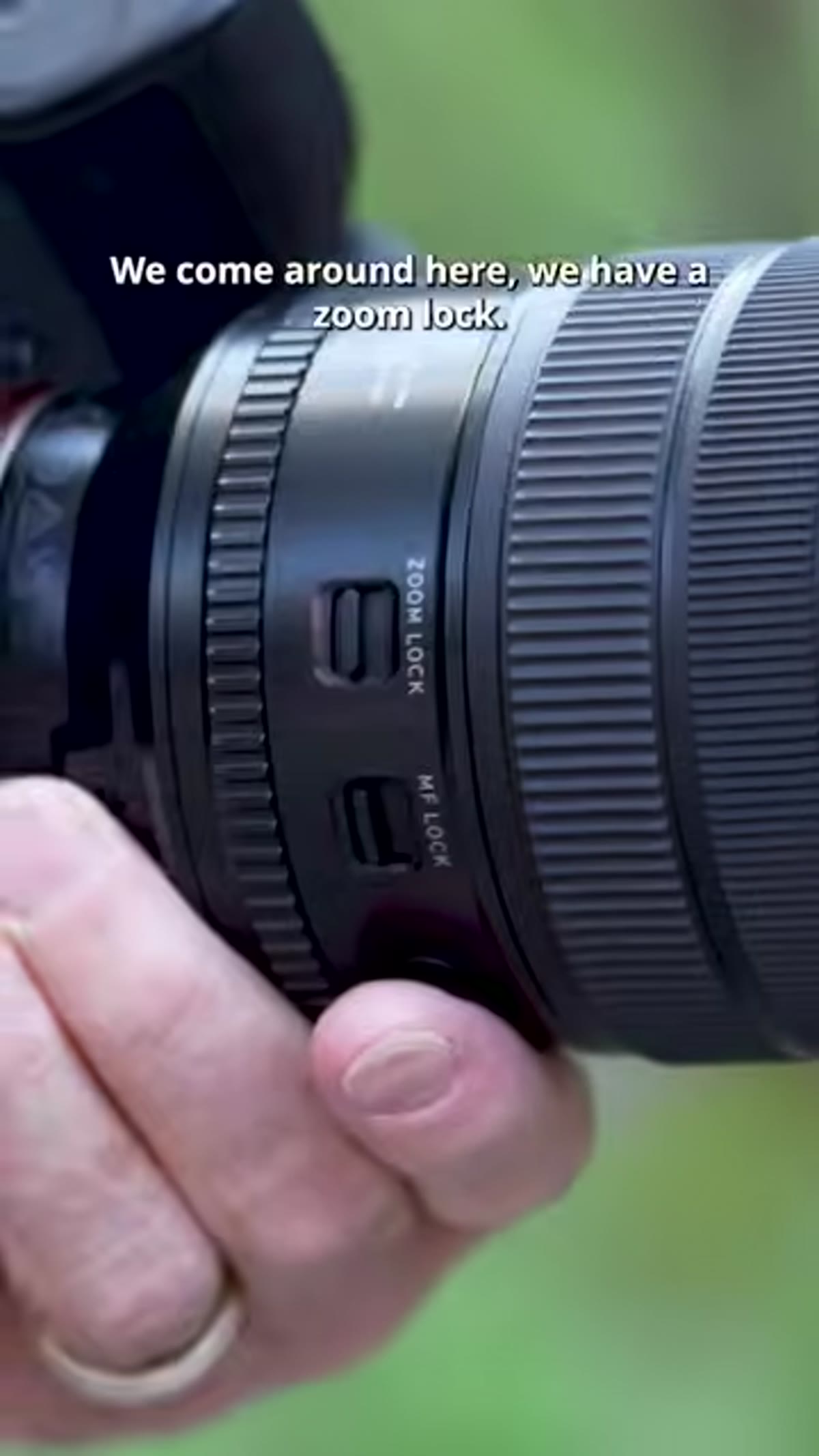
The zoom lock on this lens works a little differently than you might expect. It only engages at the two extremes: 12mm and 20mm. You can’t lock it at 16mm or anywhere in between. The purpose is purely practical, preventing the barrel from creeping when the lens is pointed downward in a bag or on a gimbal. If you’re shooting at 12mm and you set that lock, you know the focal length isn’t shifting on you. It’s a small thing, but it’s the kind of detail that separates a production-ready lens from a consumer one.
Zoom lock switch on lens barrel at 12mm or 20mm position
The zoom lock on this lens works a little differently than you might expect. It only engages at the two extremes: 12mm and 20mm. You can’t lock it at 16mm or anywhere in between. The purpose is purely practical, preventing the barrel from creeping when the lens is pointed downward in a bag or on a gimbal. If you’re shooting at 12mm and you set that lock, you know the focal length isn’t shifting on you. It’s a small thing, but it’s the kind of detail that separates a production-ready lens from a consumer one.
Step 4: Lock Manual Focus at Infinity for Gimbal and Astro Work
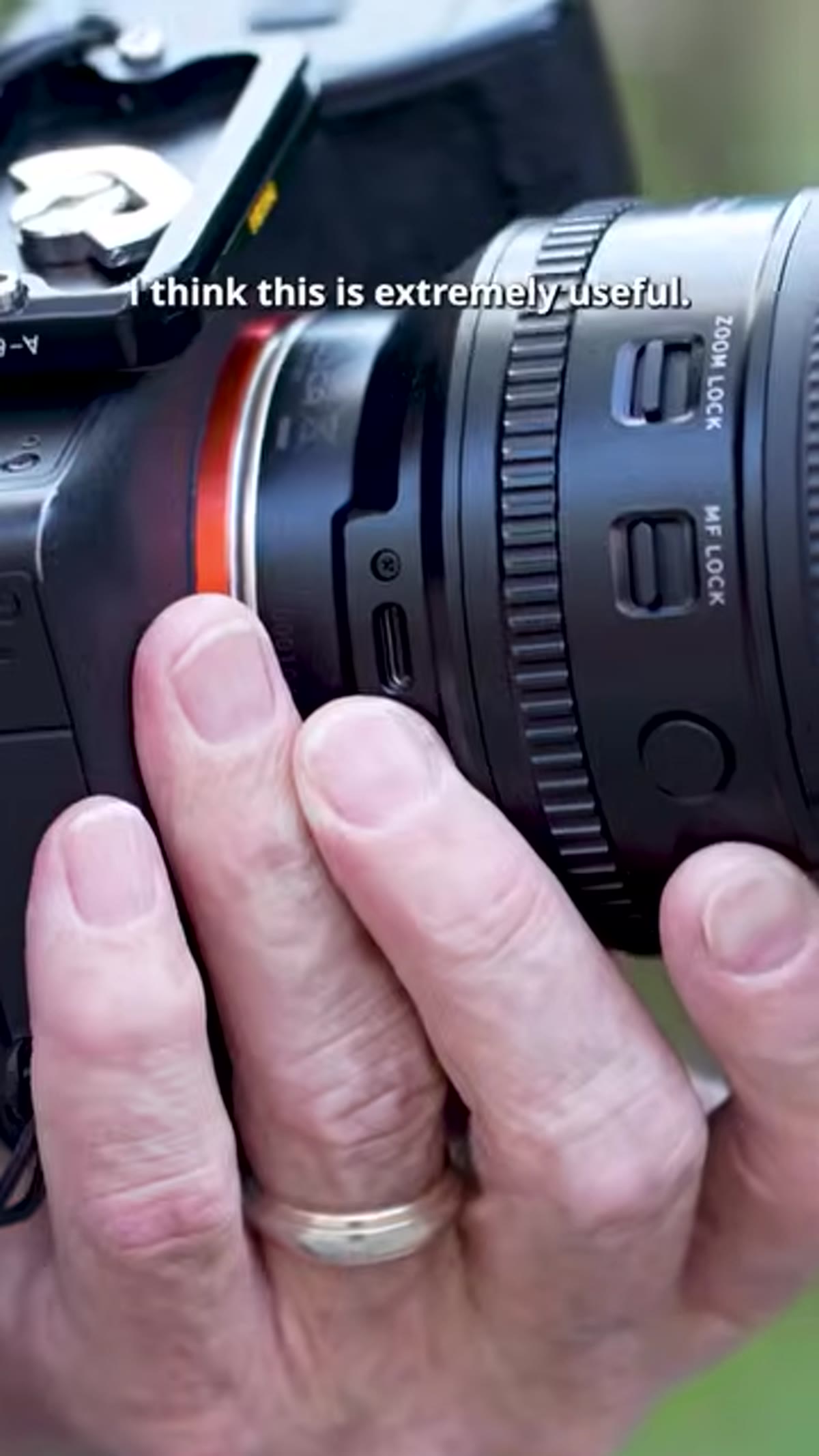 Manual focus lock switch highlighted on lens barrel
This is the feature that jumped out at me most. The manual focus lock lets you physically lock the focus ring in place at any position. The most obvious use case is locking at infinity for astrophotography or landscape work, where you set focus once and need it to stay there regardless of what the autofocus system tries to do. But the tutorial points out something I hadn’t considered: it’s equally valuable on a gimbal. Gimbals create vibration and movement, and autofocus systems can hunt in low contrast situations. Lock it mechanically and that problem disappears entirely.
Manual focus lock switch highlighted on lens barrel
This is the feature that jumped out at me most. The manual focus lock lets you physically lock the focus ring in place at any position. The most obvious use case is locking at infinity for astrophotography or landscape work, where you set focus once and need it to stay there regardless of what the autofocus system tries to do. But the tutorial points out something I hadn’t considered: it’s equally valuable on a gimbal. Gimbals create vibration and movement, and autofocus systems can hunt in low contrast situations. Lock it mechanically and that problem disappears entirely.
Step 5: Assign Custom Functions to the Two Programmable Buttons
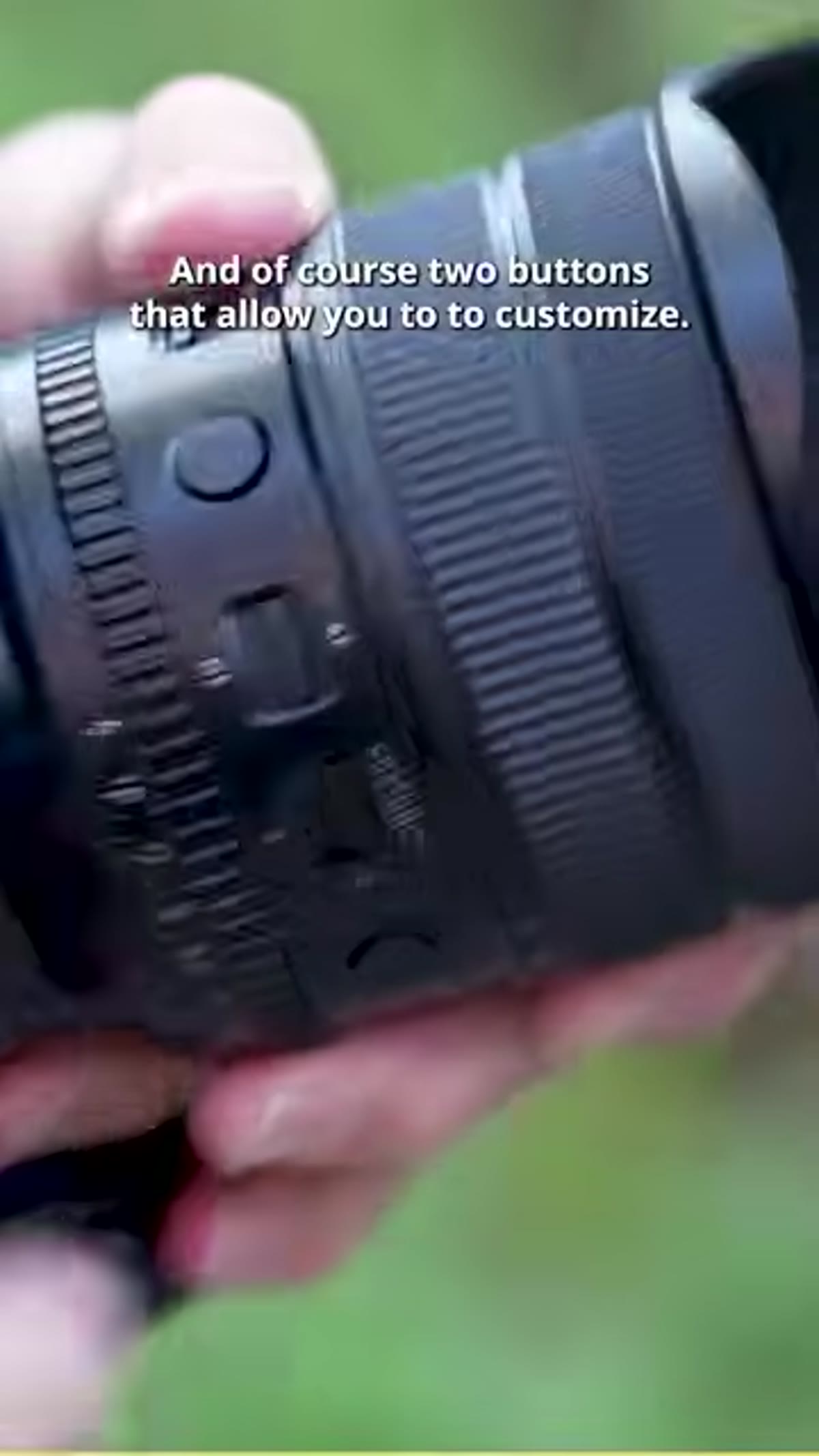 Two customizable buttons shown on lens barrel
The lens has two physical buttons that you can program for custom functions. What those functions are depends on what you assign through either the camera body or the Tamron software. Out of the box they’re useful, but the real value comes from customization, which leads directly into the next feature.
Two customizable buttons shown on lens barrel
The lens has two physical buttons that you can program for custom functions. What those functions are depends on what you assign through either the camera body or the Tamron software. Out of the box they’re useful, but the real value comes from customization, which leads directly into the next feature.
Step 6: Connect via USB-C or Tamron Link to Customize and Update Firmware
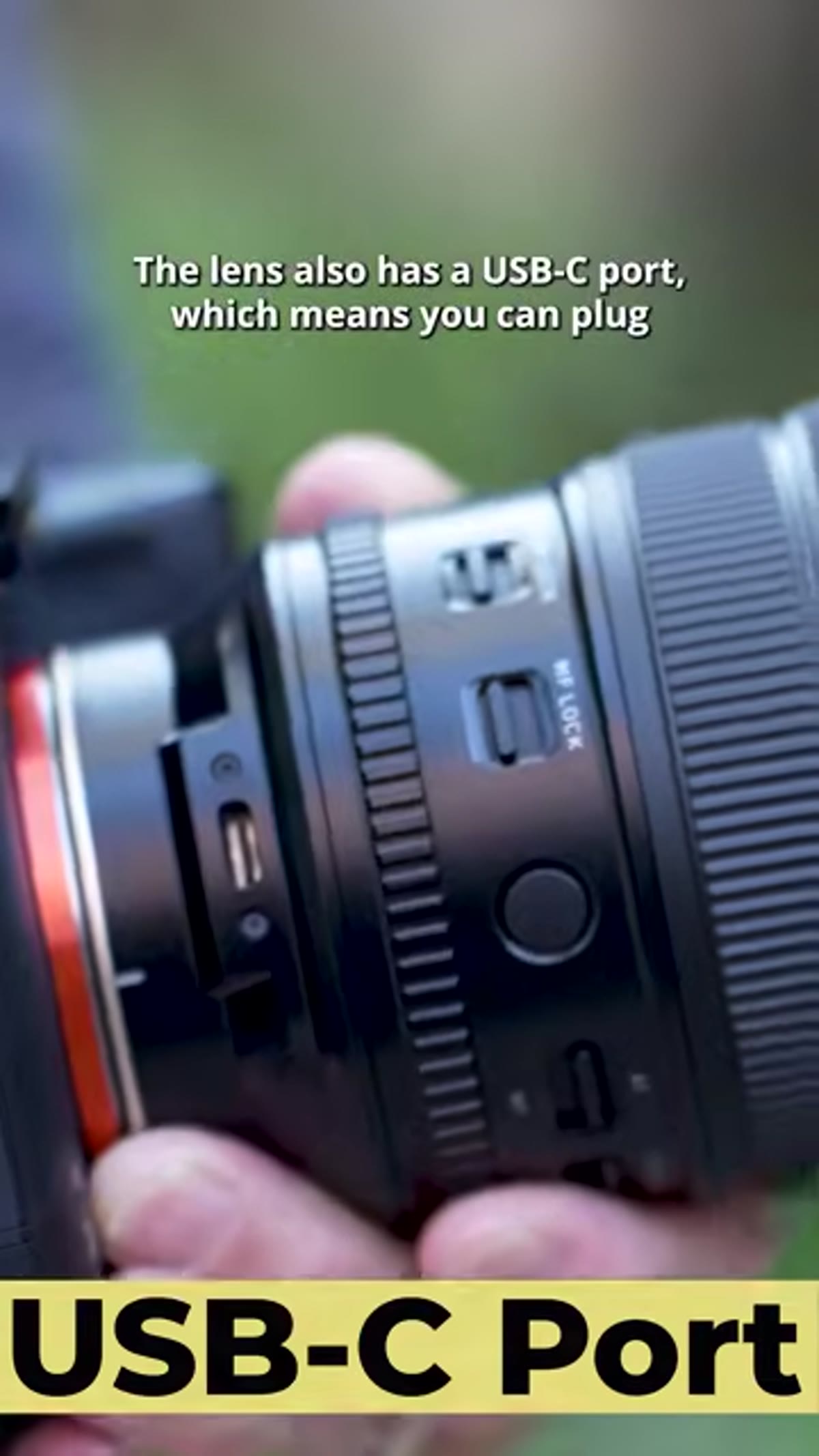 USB-C port location on Tamron 12-20mm lens barrel
There’s a USB-C port built directly into the lens barrel. Plug it into your laptop and you can use Tamron’s desktop software to remap those buttons, adjust focus settings, and update firmware. But the more interesting option for on-location work is the Tamron Link accessory, a small USB-C dongle that connects the lens to your smartphone over the companion app. On a video set where you need to pull focus to specific marks or change button assignments without touching a computer, that wireless workflow is genuinely useful. It’s the kind of feature you’d expect on a dedicated cine lens rental, not on a $1,700 prime alternative.
USB-C port location on Tamron 12-20mm lens barrel
There’s a USB-C port built directly into the lens barrel. Plug it into your laptop and you can use Tamron’s desktop software to remap those buttons, adjust focus settings, and update firmware. But the more interesting option for on-location work is the Tamron Link accessory, a small USB-C dongle that connects the lens to your smartphone over the companion app. On a video set where you need to pull focus to specific marks or change button assignments without touching a computer, that wireless workflow is genuinely useful. It’s the kind of feature you’d expect on a dedicated cine lens rental, not on a $1,700 prime alternative.
My Take: The Value Math Finally Works
I keep a running spreadsheet of every lens I’ve tested or seriously considered in the last three years. The ultra-wide column has always been a dead end because the price-to-use ratio never balanced. At $1,700, the Tamron 12-20mm f/2.8 is not cheap. But stack it against the $3,300 Sony G Master covering the same focal range, and the gap is hard to ignore, especially when the Tamron brings physical controls that the G Master doesn’t even offer in the same configuration.
For astrophotography shooters specifically, the f/2.8 aperture combined with the focus lock is a legitimate workflow improvement. You’re not babysitting focus in the dark. For architectural and real estate work, 12mm on full frame gives you room coverage that would otherwise require a tilt-shift or heavy distortion correction. And for video hybrids who need aperture ramping without audio-ruining clicks, the de-click ring is the feature that closes the deal.
If you’re coming from APS-C or you’ve been renting ultra-wides because owning one never made financial sense, this is the lens that changes that conversation. The controls are there, the sharpness is there, and the autofocus is fast enough that you’re not giving anything up to save $1,600.
Watch the full tutorial on YouTube to see Jay P. Morgan put the lens through its paces in real shooting conditions. The hands-on handling portion alone is worth the watch if you’re on the fence.
The Tamron 12-20mm f/2.8 is available for Sony and Nikon mounts through Amazon and B&H Photo.
Comments (1)
Tried this technique this morning. Game changer for real.
Leave a Comment